Commission Term Logic
To ensure that the correct commission values are applied to your agency's commission transactions, HawkSoft performs a series of logic tests to determine the term of the commission transaction.
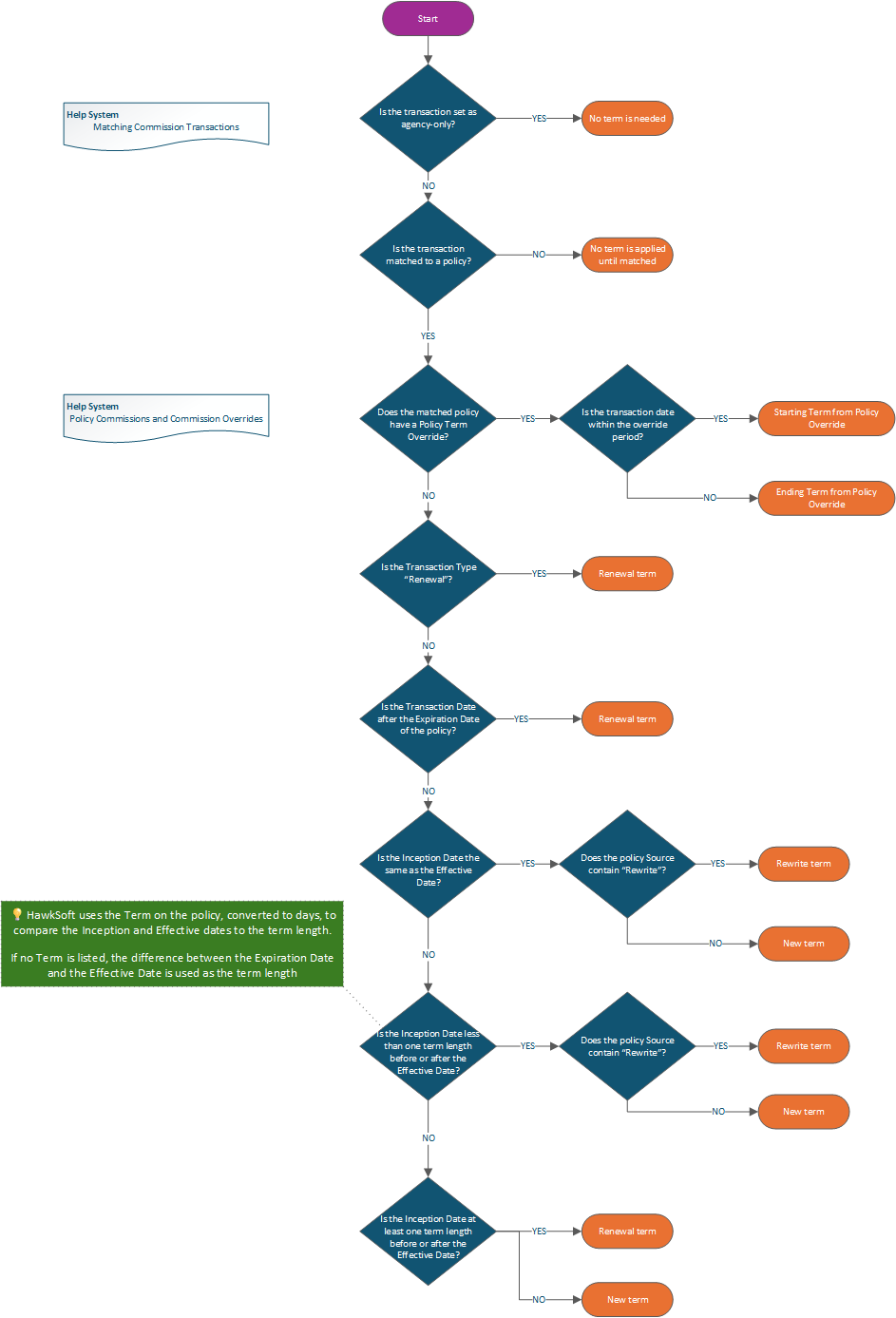
This article provides a flow chart to illustrate the logic tree that HawkSoft uses to calculate commission transaction terms.
Term Logic Flowchart
Click the Help System links in the flowchart for more information.
Term Logic Details
The following is a step-by-step breakdown of the commission term logic flow.
HawkSoft will check each of the following conditions on a commission transaction, in this order, and apply the first matching term and then stop:
| Term Logic | Term Applied |
|---|---|
| Agency-Only Transaction | No term |
| Transaction not matched to policy | No term applied until transaction is matched |
| The commission transaction date is within an applicable Policy Term Override | Starting Term |
| The commission transaction date is after an applicable Policy Term Override | Ending Term |
| Commission transaction type is "Renewal" | Renewal Term |
| Transaction date is after the expiration date of the policy | Renewal Term |
| Inception date is the same as effective date | New Term, or Rewrite if source contains "rewrite" |
| Difference between Inception and Effective Date is less than the term length | New Term, or Rewrite if source contains "rewrite" |
| Difference between Inception and Effective Date is greater than or equal to the term length |
Renewal Term |
| Term length cannot be determined | New Term |
When comparing to the Inception and Effective dates, we use the policy term length converted to days. If there is no term on the policy, the difference between the Effective Date and the Expiration date is used as the term length.
 Related Topics