HawkSoft Help Portal Search
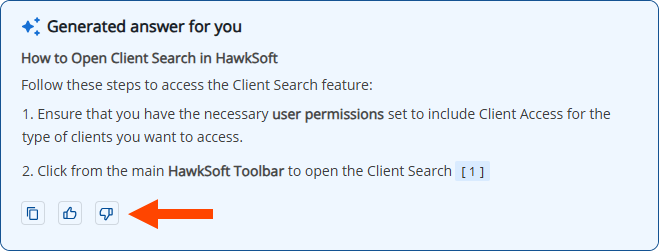
HawkSoft introduces a significantly improved, AI-powered search experience that delivers more accurate results and includes more of our support documentation. The new search combines traditional indexed results and an AI assistant trained on HawkSoft help documentation.
Key Features
-
Unified searchable content — Help articles, help videos, and e-learning modules are all searchable in one place.
-
AI answers with links — An AI trained on HawkSoft documentation provides direct answers and points you to relevant help content.
-
Contextual suggestions — While you search, the search offers suggestions based on similar topics and your recent searches.
-
Sort options — Sort results by Relevance or by Popularity.
-
Advanced search — Use advanced search controls to refine your search results using exact phrases or partial word searches, or by excluding specific words.
-
Media filters — Filter results to show Videos, Articles, or E-Learning content only.
-
Feature filters — Search by feature such as Clients and Policies, Accounting, or Agency Setup.
Leverage Help for Best Results
-
Ask questions to get an AI response with steps. For example, "How do I create a log note?"
-
Be specific with your question.
-
Use recent searches shown in suggestions to quickly repeat or refine prior queries.
We Want your Feedback
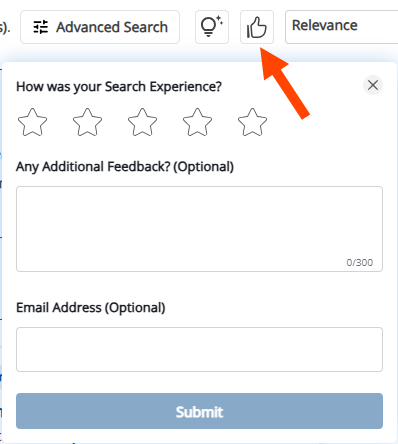
Your feedback helps us improve your search experience! You can provide separate feedback for the search results and for the AI response.