HawkSoft Agent Portal enables you to access client and policy information stored in HawkSoft from your web browser. Since Agent Portal is optimized for mobile devices, you can use it on your phone or tablet to quickly and securely access the information you need on the go. You can also create tasks, enter new log notes, and attach files to a client, great for setting reminders or adding home photos and other notes from out in the field.
It's important to note that the client and policy information in Agent Portal is read-only. Client and policy information can be viewed in Agent Portal, but can be changed only in HawkSoft Desktop. The only new data that can be added using Agent Portal are log notes and attachments.
This article covers how to access and use the HawkSoft Agent Portal. For more information about feature access from Agent Portal compared to the HawkSoft Desktop App or HawkSoft Browser App, see
Click here to download a sharable, printed version of this article.
 To access Agent Portal
To quickly open a client in Agent Portal on your mobile device, click the Open in Agent Portal button in the upper-right corner of the client in the HawkSoft desktop app, and scan the QR code that appears with your mobile device.
-
Visit https://agents.hawksoft.app/ from your device's web browser.
-
Enter your User Initials and Agency ID using the format <User Initials>@<Agency ID>.
For example, Allen Charleston at agency 12345 would enter ABC@12345.
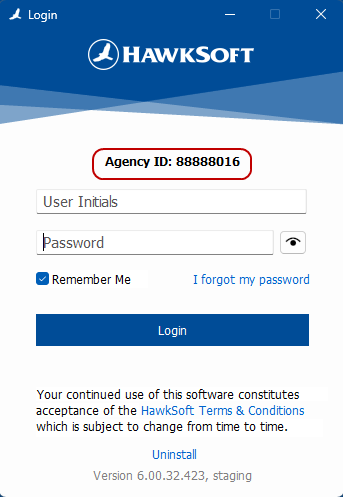
Don't know your Agency ID?
If you are unsure of your Agency ID, you can find this information on the HawkSoft Desktop login screen:
-
Enter your password, then click or tap Sign In.
-
Conditional: If your agency has multiple offices, select your office from the drop-down, and then click or tap Submit.
-
Conditional: If your agency has enabled MFA, HawkSoft may email you an authentication code.
Copy this code into the space provided, then click or tap Submit.
Multi-Factor Authentication provides an additional level of security. To enable or disable MFA for your agency, see
HawkSoft Agent Portal opens to the Search page.
Optional: Turn on Dark Mode for Agent Portal
A "Dark Mode" option is available in agent portal for users who prefer it.
-
Click or tap on your user initials in the upper right of the Agent Portal page.
-
Check the Dark Mode box.
Agent Portal now displays with a dark background and light text.
To add HawkSoft Agent Portal as an app to your mobile device
For iPhone/iPad
-
In Safari, visit https://agents.hawksoft.app/ and then log in to HawkSoft Agent Portal.
-
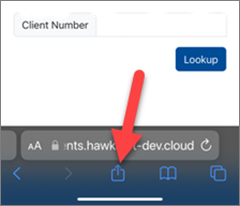
Click the Share button.
-
Tap Add to Home Screen.
-
Tap Add.
-
Tap on the HawkSoft icon from the device's home screen.
Agent Portal launches as an application on the iPhone/iPad.
For Android
-
In Chrome, visit https://agents.hawksoft.app/ and then log in to HawkSoft Agent Portal.
-
Tap the menu button in Chrome.
-
Select Install App.
-
Tap Install.
-
Tap on the HawkSoft icon from the device's home screen.
Agent Portal launches as an application on the Android device.
To search for clients and policies
-
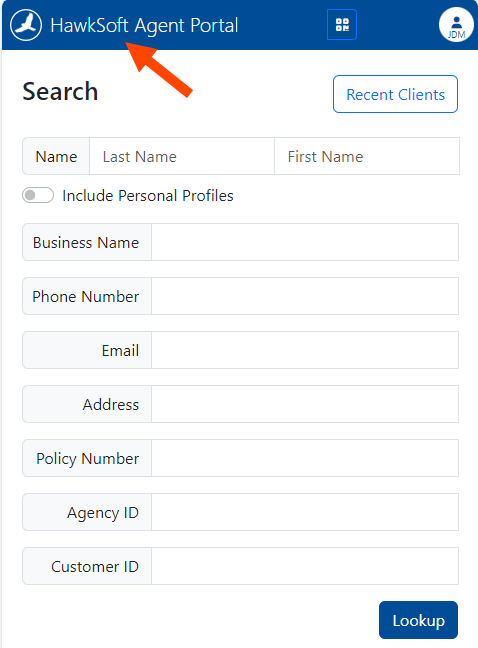
Confirm that you are on the Search page as shown below.
To navigate to the Search page at any time, you can tap the HawkSoft Agent Portal link in the top left of the screen or press the F2 key on your keyboard.
-
Click or tap on the field you want to search by and enter your search terms.
These can be partial terms, such as a street address without a city, or a last name only.
-
Press Lookup to see a list of matches.
Results display below the search fields, scroll down to see more.
- Select a client to view their client and policy information.
To return to a recently viewed client
HawkSoft Agent Portal retains a list of clients that you've recently viewed, allowing you to quickly select a client from this list and return to their information.
The Recent Clients list only displays clients you have recently accessed and viewed from the HawkSoft Agent Portal.
Any clients recently accessed and viewed from the HawkSoft Desktop app will not display in the Recent Clients list in Agent Portal.
From the Search page, click or tap the Recent Clients button and then select a recent client from the list to view their client and policy information.
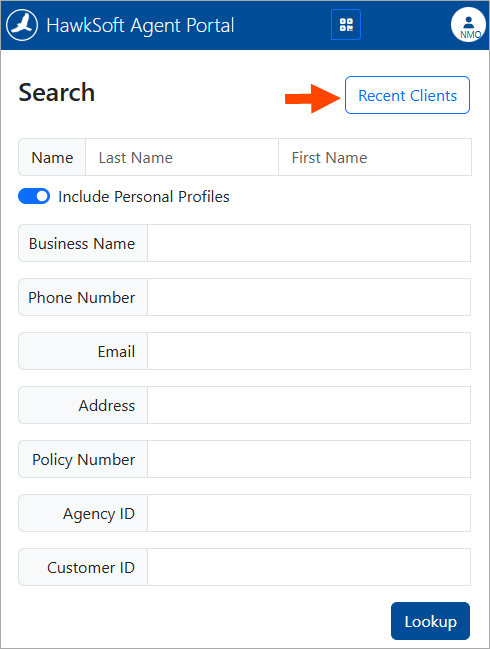
To return to the Search page, click the Back to Search button.
To view client and policy information
After selecting a client from the search results or Recent Clients list, you are taken to the client information screen. At the top of this screen is the client's name, mailing address, and any client tags or warnings. Below that, is the client and customer types, how long they have been a client, the client Source, and the Producer, CSR, and Client Office (if applicable).
To view more detailed client and policy info, click on one of these broad categories:
- Information
Includes physical and mailing addresses and business details such as the type of business and NAICS. Click the
 pin icon next to an address to launch the address with Google Maps in a new web browser tab.
 - Contacts
A list of client contacts, phone number, and email addresses. Use the Text, Call, or Email buttons to contact the client using your device's default apps for each.
-
Policies
View a list of the client's active and archived policies. Click on a policy to see policy details.
- People
View a list of people on the client/policy. Click on a person to view their personal profile and contacts associated with them.
- Logs
View a list of the last 90 days of logs entered on the client. Click on individual logs for full detail.
- Attachments
View a list of the last 90 days of files attached to the client. All attachments within the time period are displayed in the list.
PDFs and images can be opened from Agent Portal, and are displayed in blue. Other file types cannot be opened in Agent Portal, and are displayed in gray. Use the Show Only Images and PDFs toggle to only display attachments that can be opened and viewed in Agent Portal.
Navigating with breadcrumbs
HawkSoft Agent Portal displays a list of "breadcrumbs" along the top of the page, linking to each previous screen in the path that brought you to your current screen.
For example, from the Driver screen, you can return directly to the list of this client's Policies.
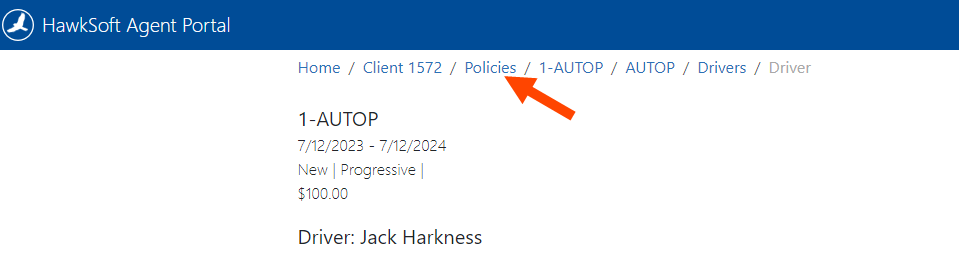
Clicking or tapping on any of these breadcrumbs will return you to that screen. For example, you can click the "Policies" breadcrumb to return to the client's list of policies from a policy or driver info page. Or you could click the "Client ###" breadcrumb to return to the client summary for this client.
To generate a shareable client QR code
HawkSoft Agent Portal enables you to generate a QR code that links to the client information that you're currently viewing. You can then scan the QR code with a mobile device to launch that same client information.
For example, you could look up a client's policy information in Agent Portal on your desktop, then scan the QR code with your phone to open the same information in your phone's web browser for easy viewing on the go.
You can send this QR code to another agent when they are out of the office or otherwise unable to access their workstation. This QR code will work for any agents at your agency who have access to Agent Portal.
-
Click Launch on Device at the top of a client information screen.
A Launch on Device dialog opens, displaying a QR code.
-
Scan the QR code with your mobile device's camera, and then follow the link.
For detailed instructions on scanning and opening links from QR codes, consult your device manufacturer or mobile service provider.
The HawkSoft Agent Portal login screen opens in your device's web browser.
-
Log in using your HawkSoft credentials.
The HawkSoft Agent Portal opens to the client information that you had open on the desktop, enabling you to pick up where you left off.
If you have problems accessing the Agent Portal by opening the QR link, try the following troubleshooting steps:
- Log out and close any open HawkSoft tabs in your device's web browser, then try opening the QR link again.
- Check your QR scanning app for an option tocopythe link rather than opening it directly. Paste the copied link into the address bar of your device's web browser.
To create a log in Agent Portal
-
Browse to the client or policy to create a log.
-
Click or tap New Log +.
The New Log screen opens.
-
Use the Channel, From/To, and Entity drop-down lists to describe what prompted this log.
-
Optional: Enable the Activity Tags toggle to display all available activity tags.
Click or tap to expand the categories as needed and check any appropriate client tags to include them in the log.
-
Enter any notes you have for this log in the User Notes section.
Some text must be entered in the User Notes section in order to save the log.
-
Click Save New Log.
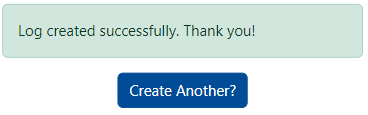
A message is displayed to confirm the log was saved to the client/policy.
-
Optional: Click or tap Create Another? to create an additional new log on the same client/policy.
See
To create an attachment in Agent Portal
-
Browse to the client or policy that you want to create an attachment for.
-
Click or tap Add Attachment +.
The Add Attachment screen opens.
-
Select one of the following options to add the attachment:
-
Click or tap Existing Document to open your device's file browser and select a file to attach.
OR
-
Click or tap Take a Picture to open your device's default camera and take a picture which will be attached.
-
-
Optional: Change the Description, as needed.
The Description defaults to the name of the attached file.
-
Optional: Change the Category, as needed.
The Category defaults to Photos.
-
Click Save as Attachment.
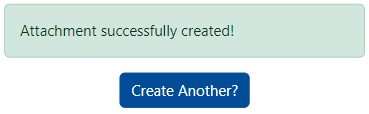
A message is displayed to confirm the attachment was saved to the client/policy.
-
Optional: Click Create Another? to add an additional attachment on the same client/policy.
See
Required Permissions
In order to complete this task, user permissions must be set to include:
Agent Portal > Allow Agent Portal Access
See
Related Topics