What's New
See Release Highlights for details on past releases.
October 8, 2026
Policy Management
|
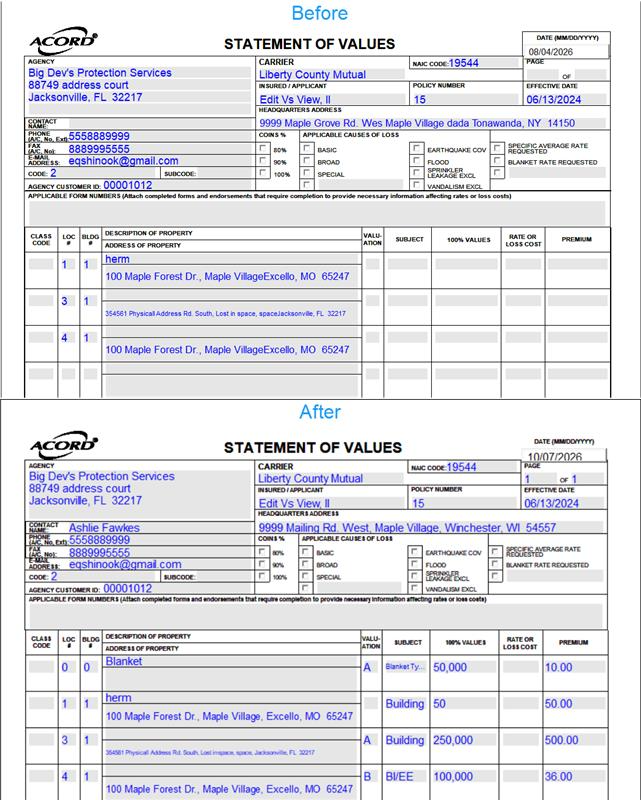
ACORD 139 Enhancements The ACORD 139 form now supports multiple locations/buildings and multiple coverages per location/building, and will autofill the data fields when available (similar to the ACORD 140 form). |
|
|
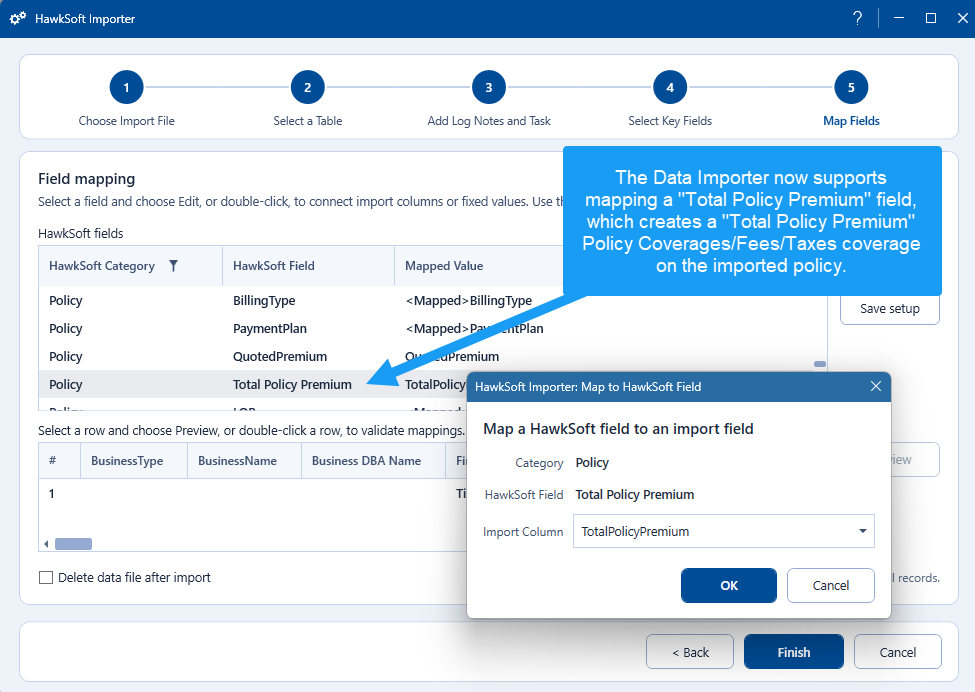
Import Total Policy Premium The Data Importer now supports mapping a Total Policy Premium field, which populates the premium amount under Policy Coverages/Fees/Taxes on the imported policy. This helps users track the premium on non-downloading policies. See Data Importer for more information. |
|
|
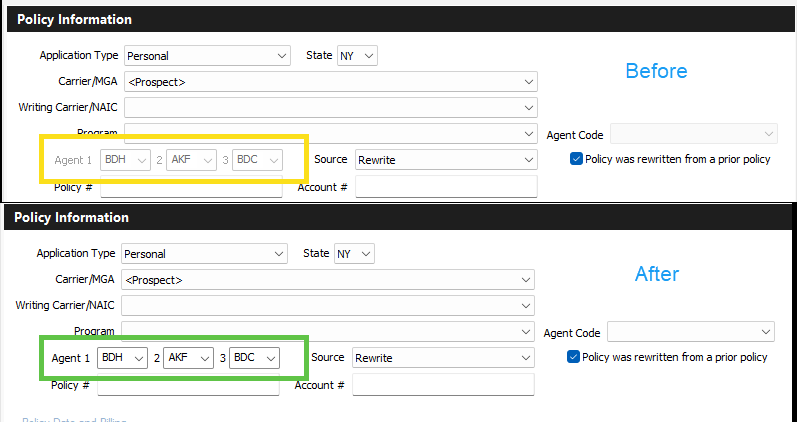
Duplicate/Remarket Policy Enhancements The Duplicate Policies permission now allows a user the ability to modify all policy details when doing the Duplicate/Remarket workflow. See Rewriting/Remarketing a Policy — Quick Steps for more information. |
Other Enhancements
|
Login Not Required for Help Portal Users are no longer prompted to log in when accessing the HawkSoft Help Portal website, making it easier to quickly access help resources. |
|
 October 1, 2026
Client/Policy View
|
View Clients in the Browser App The HawkSoft browser app now allows users to search and view clients! In the browser, viewers can add quick logs, manage client tasks, or add attachments. Client functionality is currently similar to what is available in Agent Portal (no Action Menu), but optimized for desktop screens. More functionality will be added to the browser app in the future.
See HawkSoft Browser App for more information. |
|
|
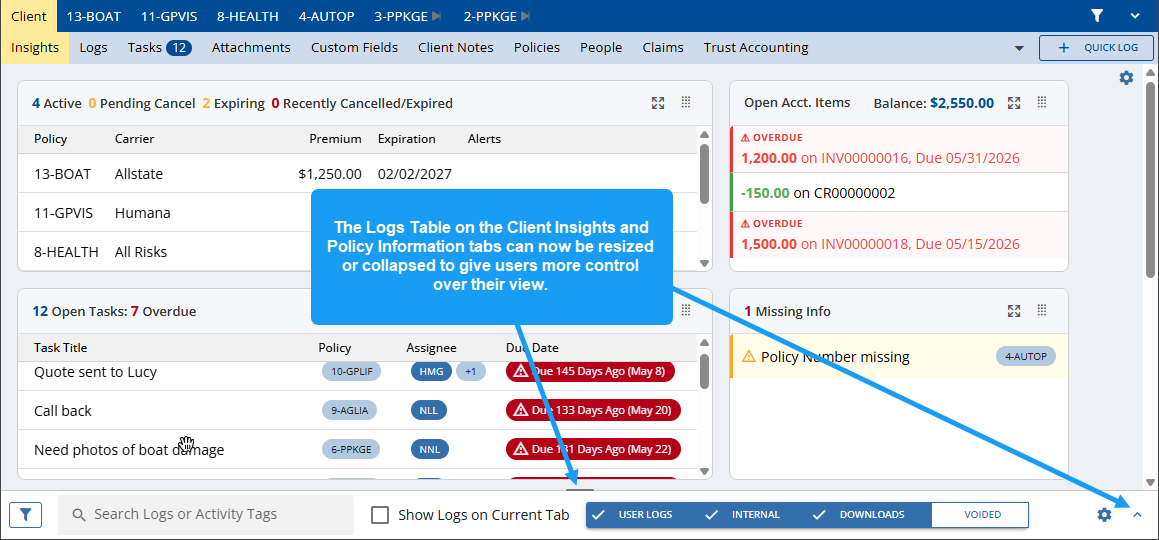
Collapsible Logs Table The Logs Table on the Client Insights and Policy Information tabs can now be resized or collapsed to give users more control over their view. See Searching and Viewing Log Notes for more information. |
|
Trust Accounting
|
Print and Email Options When creating a receipt, invoice, credit memo, or statement users will now have two options to either print or email these items. Multiple accounting documents can be queued and emailed together, instead of one at a time. See Creating an Invoice for more information. |
|
|
Report Filter Enhancements Trust Accounting reports now include a text search and many new options under the Filter button, which previously offered only bank and office filters. Users can quickly narrow a report to the rows they need, then export, reverse, or mark them as usual. See Run the Trust Accounting Report for more information. |
 September 24, 2026
HawkSoft E-Signature
|
Assign Tasks for Finalized Documents In the HawkSoft Marketplace, agencies can now configure HawkSoft E-Signature to automatically create a task once the signed document is received. This produces notifications for signed documents and reduces the need to manually create tasks. See Sending Documents for HawkSoft E-Signature for more information. |
 September 17, 2026
Reports
|
Report Recipes The report dashboard now includes links to more than ten “Report Recipes,” which guide users through how to sort, filter, or summarize data to create commonly run reports suggested by users. These recipes will also come up when you search how to create a specific report in the Help Portal. See Report Recipes for more information. |
Insert & Edit Client/Policy
|
Highlight Required/Recommended Fields When inserting a client or policy, any empty Required and Recommended fields will now be highlighted immediately, instead of after selecting Finish or Next. See Configuring Required Fields for your Agency for more information. |
To see more releases, visit the Release Highlights page.